
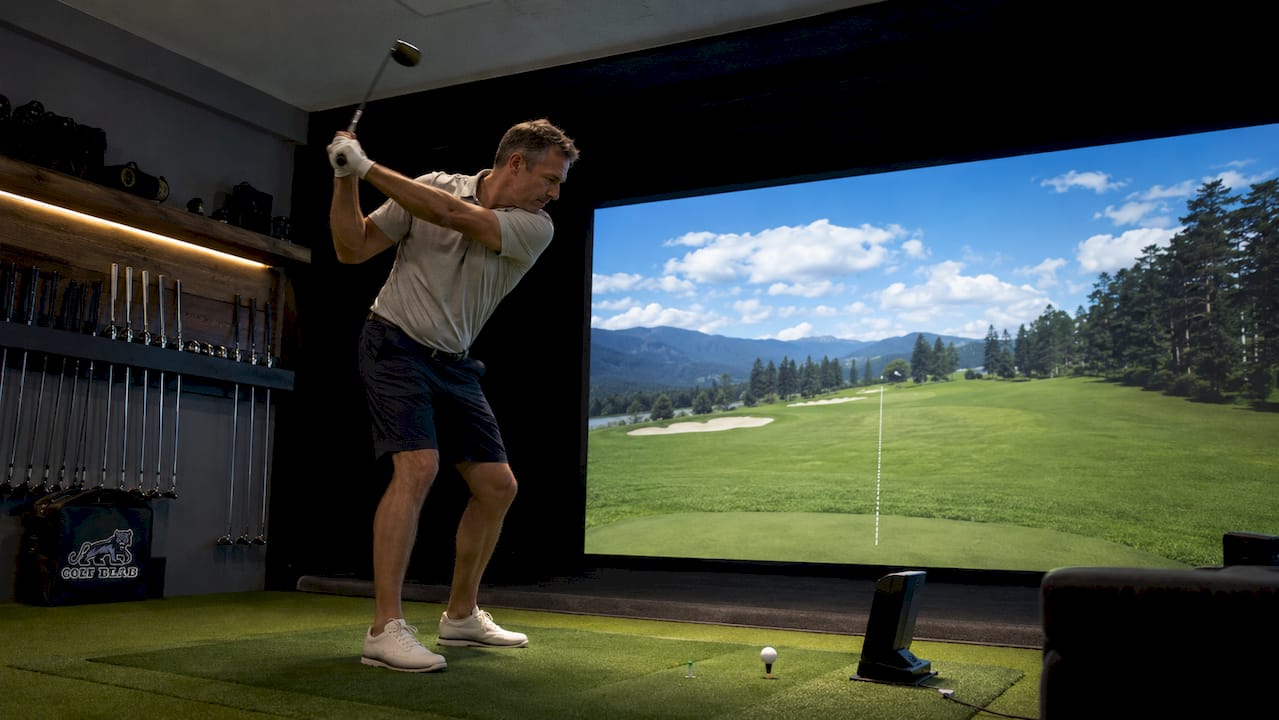
TL;DR:
- Golf simulators provide objective data to improve skills and support purposeful, structured practice. Combining simulator use with professional coaching accelerates progress by diagnosing and correcting faults more effectively. They are most effective when integrated with real course practice, especially for short game skills and adapting to on-course conditions.
Golf simulators are defined as combined hardware and software systems that capture real-time ball flight and swing data, giving golfers immediate, measurable feedback on every shot. The role of golf simulators in training has grown from a novelty into a cornerstone of modern instruction, offering metrics like ball speed, launch angle, spin rate, and shot dispersion that were once available only to touring professionals. Whether you are a weekend player or a competitive amateur, understanding how to use this technology with purpose and proper coaching separates genuine improvement from expensive entertainment.
What specific benefits do golf simulators offer for improving golf skills?
Golf simulators accelerate skill development by replacing guesswork with objective data. Every swing produces a report: carry distance, club path, face angle, and shot pattern. That immediate feedback loop is what makes indoor golf training so powerful for golfers who want to improve faster than traditional range sessions allow.
Launch monitor data speeds up distance control improvements by up to 23% compared to practice without objective feedback. That number matters because distance control is the single biggest variable separating consistent scorers from erratic ones. When you know your 7-iron carries 155 yards under controlled conditions, you make smarter club selections on the course.
Simulators also support purposeful, structured practice rather than aimless ball-hitting. Virtual rounds are engaging but do not translate to meaningful improvement without deliberate practice structure. The golfers who improve fastest use simulators to run focused 40–60 minute sessions with defined technical objectives, not to play simulated rounds for entertainment.
Here is what a productive simulator session targets:
- Distance control: Hit 10 shots with each club and track carry dispersion to establish a reliable yardage baseline.
- Shot shape: Work on controlled draws or fades by monitoring face-to-path relationships in real time.
- Consistency tracking: Compare standard deviation in launch angle across a session to measure swing repeatability.
- Pressure simulation: Set a target and count how many consecutive shots land within a defined dispersion circle.
- Video review: Use the consistent indoor lighting to analyze swing plane and head movement frame by frame.
Pro Tip: Set one measurable goal before every simulator session. “Hit 8 of 10 drives within a 30-yard dispersion window” beats “work on my driver” every time.
Confidence is a quieter benefit that golfers often overlook. Repeated, controlled reps in a pressure-free environment build the motor memory that holds up under real course conditions. The consistent indoor environment also improves swing video feedback quality by removing outdoor glare and varying light conditions that make video analysis unreliable on a range.

How do golf simulators integrate with professional coaching to amplify training outcomes?
Simulators are powerful mirrors, but mirrors do not diagnose. A coach interprets the data, identifies the root cause of a fault, and prescribes a correction. Without that interpretive layer, golfers risk practicing their mistakes at higher volume and higher speed.

Golfers who combine coach-guided instruction with simulator data improve 38% more over eight weeks than those who practice on simulators alone. That gap exists because a coach reads club path, face angle, and swing video together to find the source of a problem, not just its symptom. A golfer who sees a pull-draw on the screen might tighten their grip when the real fix is a more neutral hip rotation.
The most effective coaching and simulator integration follows a clear structure:
- Baseline lesson: Coach establishes current swing metrics and identifies the one or two highest-priority faults.
- Targeted solo sessions: Golfer practices the prescribed correction on the simulator, tracking the specific metric the coach flagged.
- Progress check: Coach reviews session data and video at the next lesson to confirm improvement or adjust the prescription.
- Metric goal setting: Each session has a defined target, such as reducing club path deviation from 5 degrees to 2 degrees over four weeks.
- Reassessment: Every four to six weeks, coach and golfer review the full data set to set new objectives.
“Simulator technology gives us a language for the golf swing that both coach and student can read together. The data removes the argument about what happened and lets us focus entirely on why it happened and how to fix it. That shift alone cuts the time to improvement in half.”
Technology in golf training works best as a shared diagnostic tool, not a solo experiment. Golfers who understand coaching and technology together progress faster because they apply corrections with context, not just repetition. For golfers unsure whether to prioritize lessons or solo practice, the answer is clear: lessons first, then purposeful simulator sessions between appointments.
What are the limitations of golf simulators compared to on-course practice?
Simulators excel at full swing data collection. They fall short in three areas that matter enormously for scoring: uneven lies, real course pressure, and short game feel. Recognizing these gaps is not a reason to avoid simulators. It is a reason to build a training plan that addresses them deliberately.
Simulators cannot replicate on-course variables like uneven lies, wind, and psychological pressure. A 150-yard shot from a flat mat bears little resemblance to the same distance from a downhill lie with water left. The motor patterns are different, and only outdoor practice builds the adaptability that scoring requires.
The short game gap is the most significant limitation. Simulators are less effective for short game feel and putting because the surface and tactile feedback differ from real turf and greens. Chipping and putting are feel-based skills that require the feedback of real grass, slope, and grain. An indoor mat simply cannot replicate that.
| Training element | Simulator strength | On-course practice strength |
|---|---|---|
| Full swing data | Excellent: precise metrics every shot | Good: no real-time data |
| Short game feel | Limited: flat mat, no turf variation | Excellent: real lies, slopes, grain |
| Pressure simulation | Moderate: game modes help | High: real consequences, real stakes |
| Weather adaptability | High: year-round, any condition | Low: weather dependent |
| Swing video analysis | Excellent: consistent lighting | Moderate: glare and angle issues |
Best practice directs golfers to spend at least 50% of practice time on the short game, given that 60% of strokes occur within 100 yards of the hole. That statistic reframes how most golfers should allocate their time. If you spend three hours a week practicing, at least 90 minutes belongs on a real chipping green and putting surface.
Pro Tip: After every simulator block session, schedule a random practice round on the course. Block practice builds the pattern; random play tests whether it holds under real conditions.
How should golfers at different skill levels structure their simulator training?
The right simulator training structure depends on where you are in your development. Beginners, intermediate players, and advanced golfers each need a different balance of lessons, solo sessions, and on-course play to get the most from the technology.
Beginners
- Start with at least two or three instructor-led lessons before any solo simulator practice.
- Focus sessions on one fundamental at a time: grip, stance, or takeaway.
- Limit solo sessions to 30 minutes to avoid ingraining early faults.
- Use golf performance indicators to track baseline metrics from the first session onward.
- Pair every simulator session with short game practice on real turf.
Intermediate golfers
- Schedule one lesson every two to three weeks with multiple focused simulator sessions between appointments.
- Use session data to confirm that prescribed corrections are holding across multiple practice blocks.
- Introduce pressure drills: set a target score for a simulated nine holes and track performance over time.
- Begin tracking golf swing analysis metrics like club path and face angle to identify patterns across sessions.
Advanced and competitive golfers
- Integrate simulator sessions into a detailed coaching plan with specific metric goals for each four to six week block.
- Use simulators to test equipment changes under controlled conditions before committing to new clubs.
- Treat simulator data as a performance log, reviewing trends across months rather than individual sessions.
| Skill level | Recommended lesson frequency | Solo simulator sessions per week | Short game practice allocation |
|---|---|---|---|
| Beginner | Weekly | 1–2 (30 min each) | 60% of total practice time |
| Intermediate | Every 2–3 weeks | 2–3 (45–60 min each) | 50% of total practice time |
| Advanced | Monthly or as needed | 3–4 (60 min each) | 40–50% of total practice time |
Setting clear, measurable goals for each session is the single most important habit across all skill levels. Without predefined success criteria, simulator practice reinforces existing faults rather than correcting them. Write the goal down before you start. Review the data before you leave.
Key Takeaways
Golf simulators deliver their greatest training value when paired with professional coaching, structured practice goals, and regular on-course play.
| Point | Details |
|---|---|
| Coaching multiplies simulator gains | Golfers improve 38% more in eight weeks when combining coaching with simulator use versus simulator practice alone. |
| Set goals before every session | Defined technical objectives prevent simulators from reinforcing existing swing faults. |
| Short game needs real turf | Spend at least 50% of practice time on real chipping and putting surfaces, where 60% of strokes occur. |
| Simulators excel at full swing data | Metrics like club path, face angle, and launch angle are most accurately captured indoors with consistent lighting. |
| Structure varies by skill level | Beginners need instructor-led sessions first; advanced golfers use simulators as part of a detailed coaching plan with metric goals. |
Why I think most golfers are using simulators wrong
After watching golfers at every level work through simulator sessions, one pattern stands out clearly. Most golfers treat the simulator like a driving range with a screen. They hit ball after ball, enjoy the numbers, and leave without a plan. The technology is doing its job. The golfer is not.
The data a simulator produces is only as useful as the framework you bring to interpret it. Club path deviation of 4 degrees sounds meaningful, but without a coach telling you whether that number reflects a grip fault, a hip sequencing issue, or a setup problem, it is just a number on a screen. I have seen golfers spend months on simulators and make zero progress because they were practicing their faults with more information than before.
The golfers who genuinely improve treat the simulator as a diagnostic tool, not a practice destination. They arrive with a specific metric target, work through a defined drill sequence, and leave with data they will review with their coach. That discipline is rare, and it is exactly what separates the golfers who improve from those who plateau.
Simulator technology will keep getting better. The realism of course rendering, the accuracy of ball tracking, and the depth of swing analysis will all improve. But the on-course experience, the uneven lie, the wind in your face, the pressure of a real putt, will always be irreplaceable. The wisest approach is to use simulators for what they do best and get outside for the rest. If you are curious about self-taught versus instructor-led paths, the answer almost always points toward coaching as the accelerant.
— Michael Marini
How Golf Blab supports your training beyond the simulator
Golf Blab brings together the tools, resources, and professional connections that complement everything a simulator session builds. When your swing data points to a specific fault, Golf Blab’s instructional content helps you understand the correction in plain language. For golfers ready to take their practice to the next level, the Play Golf with a Tour Pro experience pairs real-world course play with professional guidance that no simulator can replicate. And for golfers who want to bring personal identity to every practice session, custom golf club labels from Golf Blab add a distinctive touch to the clubs you are working hard to master. Your practice deserves both precision and personality.
FAQ
What does a golf simulator actually measure?
Golf simulators measure ball flight data including ball speed, launch angle, spin rate, and carry distance, as well as swing data like club path, face angle, and swing plane. These metrics give golfers and coaches an objective picture of every shot.
Can a golf simulator replace real course practice?
Simulators cannot replace on-course practice because they do not replicate uneven lies, wind, or real pressure. They work best as a data-driven training tool used alongside regular outdoor play and short game practice on real turf.
How often should I use a golf simulator to improve?
Intermediate golfers benefit from two to three focused simulator sessions per week, each lasting 45–60 minutes, combined with lessons every two to three weeks. Beginners should start with instructor-led sessions before practicing solo on a simulator.
Do I need a coach to use a golf simulator effectively?
Coaching is not required, but it significantly improves results. Golfers who combine coaching with simulator use improve 38% more over eight weeks than those using simulators alone, because coaches interpret data and correct root causes rather than symptoms.
What is the biggest mistake golfers make on simulators?
The biggest mistake is practicing without a defined goal. Without clear success criteria, simulator sessions reinforce existing swing faults instead of correcting them. Set one measurable technical objective before every session.